
The safest way toactivate Microsoft Office for freeis to use the official web version at Office.com with a Microsoft account. For full desktop apps, eligible students and teachers can verify with a school email for free Microsoft 365 Education. Everyone can start a 1-month trial or use free mobile apps. These methods give real access without risks associated with unofficial tools.
Why Many People Look for Ways to Activate Microsoft Office for Free
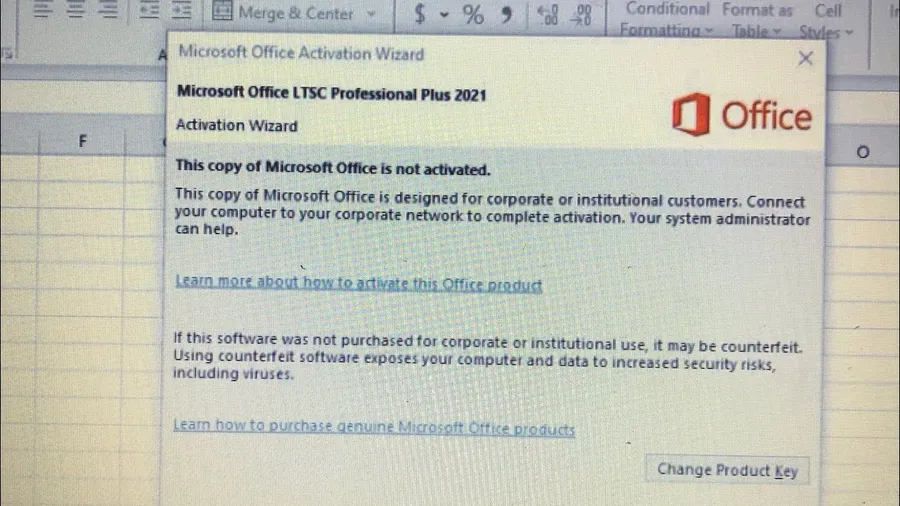
Microsoft Office remains the standard for creating documents, spreadsheets, and presentations. A full subscription can cost $70–$100+ per year, which adds up for students, small businesses, or anyone on a tight budget. Many users end up with the “Product Activation Required” message after installing from a new PC or trial period.
Fortunately, Microsoft offers several legitimate options that let you use Word, Excel, PowerPoint and other apps without paying full price. These range from the always-free web version to special education programs that provide desktop apps and generous storage. Choosing the right method depends on whether you need offline access, advanced features, or just basic editing.
Related: Boost efficiency withAI tools for productivityor create better documents usingfree AI writing tools.
Quick List: Legit Ways to Use Microsoft Office for Free
- Office Online (web version) – no installation needed
- Microsoft 365 Education for students and teachers
- 1-month free trial of Microsoft 365
- Free mobile apps on iOS and Android
- OneDrive integration for basic document work
All these options are provided directly by Microsoft and keep your files safe.
Use Microsoft Office Online – Completely Free Web Version
The simplest way is to visit office.com or microsoft365.com and sign in with a free Microsoft account. You get full-featured web versions of Word, Excel, PowerPoint, OneNote, and more. Files save automatically to OneDrive (5 GB free storage, more with upgrades).
This works great for most everyday tasks like writing reports, making budgets, or creating slides. You can collaborate in real time with others, and it works on any device with a browser. Many people use this as their main Office solution and never need the desktop apps.
Free Microsoft 365 for Students and Teachers
If you have a valid school or university email address, you can get Microsoft 365 Education for free. This usually includes desktop apps for up to 5 devices, 1 TB of OneDrive storage, and extra classroom tools. Eligibility covers most schools and universities worldwide.
Go to the Microsoft Education site, enter your school email, and verify your status. Once approved, you can download and install the full suite. This program has helped millions of students and educators stay productive without extra cost.
Start a Microsoft 365 Free Trial
Microsoft often offers a 1-month trial of Microsoft 365 Personal or Family. During this period you get full desktop apps, advanced features like Copilot in some plans, and plenty of cloud storage. After the trial, you can decide whether to subscribe or switch to the free web version.
Sign up at the official Microsoft site. Some regions allow starting without immediate payment details. Use the trial to test everything and back up your work.
Free Microsoft Office Mobile Apps
Download the official Word, Excel, and PowerPoint apps from the App Store or Google Play. Basic editing is free on phones and tablets. For more advanced features on larger screens, sign in with a Microsoft account or use a qualifying subscription.
These apps are perfect for on-the-go work, quick edits, or viewing documents. They sync with OneDrive so your files stay up to date across devices.
Comparison of Free Microsoft Office Options
| Option | Best For | Key Benefits |
|---|---|---|
| Office Online | Everyone | No install, real-time collaboration, always free |
| Education Program | Students & Teachers | Full desktop apps + 1 TB storage |
| 1-Month Trial | Testing features | Full access temporarily |
| Mobile Apps | On-the-go use | Free basic editing on phones/tablets |
How These Options Help You Stay Productive
Using legitimate free methods lets you create professional documents without worrying about activation warnings or reduced features. Students finish assignments faster, teachers manage classes better, and everyday users handle personal projects smoothly. Many report saving $70–$150 yearly while maintaining full compatibility with others who use paid versions.
Step-by-Step Guide for Each Method
- Office Online:Go to office.com, sign in or create free account, start new document
- Education Access:Visit Microsoft Education site, enter school email, verify status, download apps
- Free Trial:Go to Microsoft 365 page, start trial, sign in, install desktop apps
- Mobile:Download apps from store, sign in with Microsoft account
Frequently Asked Questions (FAQ)
Yes – use the free web version at Office.com, sign up for Microsoft 365 Education with a school email (free for eligible students and teachers), try the 1-month trial, or use free mobile apps. These are all official Microsoft options.
Yes. Eligible students and teachers with a valid school email can get Microsoft 365 Education for free, including desktop apps on up to 5 devices plus 1 TB OneDrive storage.
Go to office.com or microsoft365.com, sign in with a free Microsoft account, and start using Word, Excel, PowerPoint directly in your browser. Files save automatically to OneDrive.
In many regions, you can start a 1-month trial without entering payment details upfront, but confirm on the Microsoft site. After the trial, you can continue with a paid plan or switch to the free web version.
For students/teachers: verify with school email. For everyone: use Office Online or mobile apps. Avoid unofficial activators, cracks, or key generators as they risk malware, account bans, and legal issues.
Final Thoughts on Activating Microsoft Office for Free
You have several safe, official ways to use Microsoft Office without spending a lot. Start with the web version for instant access, check if you qualify for the education program, or try the free trial to explore full features. These options keep your work professional and compatible while protecting your device and data.
Choose what fits your needs best and focus on creating great content instead of worrying about activation. For more helpful guides, exploreAI productivity tools,fixing Word issues, orstoring files safely.