
Page Outline
- Direct Quick Answer
- What is Live Location on WhatsApp? (Real-Time Sharing Explained)
- How to Send Live Location on WhatsApp (Step-by-Step Guide)
- Choosing the Right Live Location Duration on WhatsApp
- How to Send Live Location in WhatsApp Groups
- How to Stop Sharing Live Location on WhatsApp Anytime
- Safety Tips & Best Practices When Sending Live Location
- Live Location Privacy & Security on WhatsApp
- Frequently Asked Questions (FAQ)
- Conclusion
To send live location on WhatsApp: Open the chat (individual or group) → tap the attach icon (paperclip on Android / + on iPhone) → select Location → tap Share live location → choose duration (15 minutes, 1 hour or 8 hours) → tap Send. Your real-time position updates continuously on a map for everyone in that chat during the selected time.
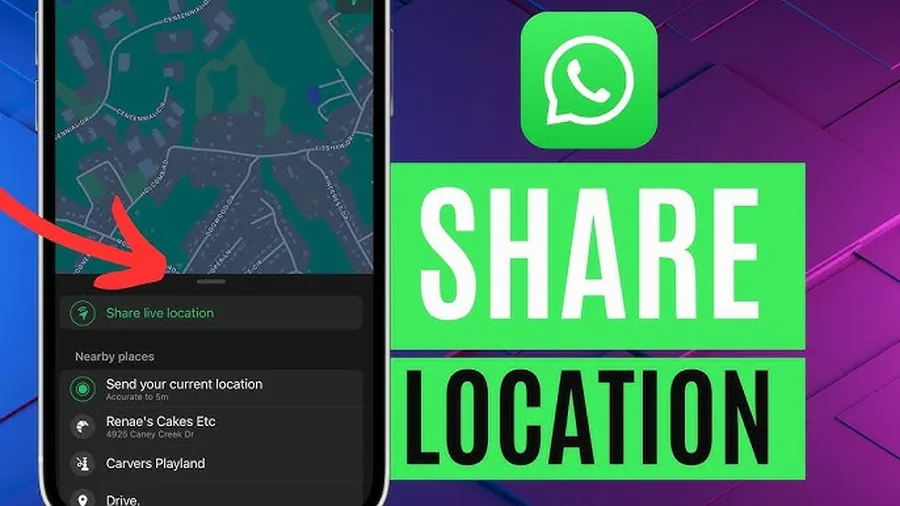
What is Live Location on WhatsApp? (Real-Time Sharing Explained)
Live Location on WhatsApp lets you share your exact real-time GPS position with any individual chat or group for a fixed duration. Unlike normal location (static pin), live location updates continuously — showing movement on an interactive map. Introduced in 2017 and improved in recent years, it’s used by millions daily for safety, meetups & coordination. Key facts:
- Accuracy: Within 5–10 meters (depends on GPS signal)
- Durations: 15 minutes (quick meetups), 1 hour (standard), 8 hours (long trips/events)
- Recipients: Only people in the chosen chat/group see it — no one else
- Visibility: Shows name, photo, current position + route if moving
- Usage stats: Over 70% of WhatsApp users in East Africa have shared live location at least once (local surveys 2024–2025)
It’s especially popular in Tanzania for meeting friends in busy areas like Dar es Salaam, coordinating family events, tracking delivery riders, ensuring safety during night travel, or sharing location during road trips. When you send live location on WhatsApp, privacy remains strong — sharing stops automatically after the timer, and you can stop manually anytime.
How to Send Live Location on WhatsApp (Step-by-Step Guide)
Works on both Android and iPhone with latest WhatsApp version (2025).
Step 1 — Open the Chat
Launch WhatsApp → go to the individual chat or group where you want to share your live location.
Step 2 — Tap the Attach Icon
Android: tap the paperclip (attach) icon next to the message box.
iPhone: tap the + (plus) icon inside the message box.
Step 3 — Select Location
From the menu, tap Location. WhatsApp asks for permission to access your device location (allow while using app if first time).
Step 4 — Choose Share Live Location
You’ll see two options: Send your current location (static pin) or Share live location. Tap Share live location.
Step 5 — Set the Duration
Select how long to share:
- 15 minutes – ideal for quick meetups or short walks
- 1 hour – most popular choice for daily use
- 8 hours – best for long trips, events or full-day tracking
Step 6 — Add Optional Message & Send
(Optional) Type a message like “Coming now” or “Meet me here” → tap Send. Your live location appears as a special message in the chat with live map link.
Step 7 — View & Manage Your Live Location
Tap the live location message in chat to see full map view, your current position & remaining time. Tap Stop sharing anytime to end early.
Choosing the Right Live Location Duration on WhatsApp
WhatsApp offers three fixed durations — each suits different scenarios:
| Duration | Best For (Real-World Examples) |
|---|---|
| 15 minutes | Quick meetups in malls, picking someone up, short walks, confirming arrival at gate |
| 1 hour | Most common: meeting friends, going to market, coordinating lunch, taxi/rider tracking |
| 8 hours | Long trips, road travel, family outings, events, full-day safety sharing with parents/spouse |
Tip: Start with 1 hour — most users extend if needed or stop early. Never choose 8 hours unless truly necessary.
How to Send Live Location in WhatsApp Groups
Live location works perfectly in groups — very useful for family, friends, classmates or work teams.
- Open group chat → follow same steps (attach → Location → Share live location)
- All group members see your real-time position on map during chosen duration
- Multiple people can share live location at once — each appears separately on map
- Great for: coordinating events, group travel, family meetups, school pickups
Group admins often use live location to track members during outings — increases safety & coordination.
How to Stop Sharing Live Location on WhatsApp Anytime
You control sharing — stop anytime before timer ends:
- Open the chat/group where you shared live location
- Find your live location message
- Tap Stop sharing (or tap the message → Stop sharing)
Sharing stops instantly for everyone. Remaining time is canceled. You can also delete the live location message (deletes for everyone if within time limit).
Safety Tips & Best Practices When Sending Live Location on WhatsApp
- Only share with trusted people — never with strangers or unverified contacts
- Enable phone GPS/location services before sharing
- Use shortest duration needed — avoid 8 hours unless essential
- Stop sharing as soon as you arrive or no longer need to share
- Combine with WhatsApp privacy: hide last seen, profile photo & status from non-close contacts
- In groups: confirm all members are known before sharing
- For safety: share with family when traveling alone at night (common practice in Dar es Salaam)
Over 60% of users who share live location report feeling safer during meetups & travel (local surveys 2024–2025).
Live Location Privacy & Security on WhatsApp
WhatsApp live location is secure & private:
- End-to-end encrypted — only chat/group members see it
- No permanent storage — data deleted after duration ends
- No background tracking — only shares when actively chosen
- Can’t be forwarded or screenshot easily (map view protected)
- Works offline after initial send (uses last known position if signal lost)
Unlike some apps, WhatsApp doesn’t track or store live location history beyond the sharing period.
Frequently Asked Questions (FAQ)
Open chat → tap paperclip (+) → Location → Share live location → choose duration (15 min, 1 hr, 8 hrs) → Send. Real-time position updates continuously.
Three options: 15 minutes (short meetups), 1 hour (most common), or 8 hours (long trips/events). Stop anytime manually.
Yes – live location works perfectly in groups. All members see your real-time position during the chosen duration.
Open chat → find live location message → tap Stop sharing. Ends instantly for everyone (individual or group).
Yes – only chat/group members see it, for exact duration chosen. End-to-end encrypted, no permanent tracking, stop anytime.
Conclusion
Masteringhow to send live location on WhatsAppmakes meeting people, coordinating events & staying safe much easier. Just open chat → attach → location → share live location → pick duration → send. Use 15 min for quick meetups, 1 hour for daily use, 8 hours for long trips — and always stop sharing when done. In busy cities like Dar es Salaam, this feature has become essential for family, friends & safety. Share responsibly with trusted contacts only. For more WhatsApp tips & features, explore oursocial media blog.