
Page Outline
- Direct Quick Answer
- Why You Need to Mute WhatsApp Notifications (Especially in Tanzania)
- How to Mute a Single WhatsApp Chat (Individual Conversation)
- How to Mute a WhatsApp Group (Step-by-Step)
- How to Mute WhatsApp Calls & Notification Sounds
- Alternative Ways to Mute WhatsApp Notifications Quickly
- How to Unmute WhatsApp Notifications (Reverse Any Mute)
- Advanced Tips & Customization for Muting WhatsApp Notifications
- Muting WhatsApp Notifications in Tanzanian Daily Life & Business
- Frequently Asked Questions (FAQ)
- Conclusion
To mute WhatsApp notifications: Open the chat or group → tap the contact/group name at top → tap Mute notifications → choose 8 hours, 1 week or Always → optional: disable Show notifications for no banner → Done. No more sounds or vibrations from that conversation.
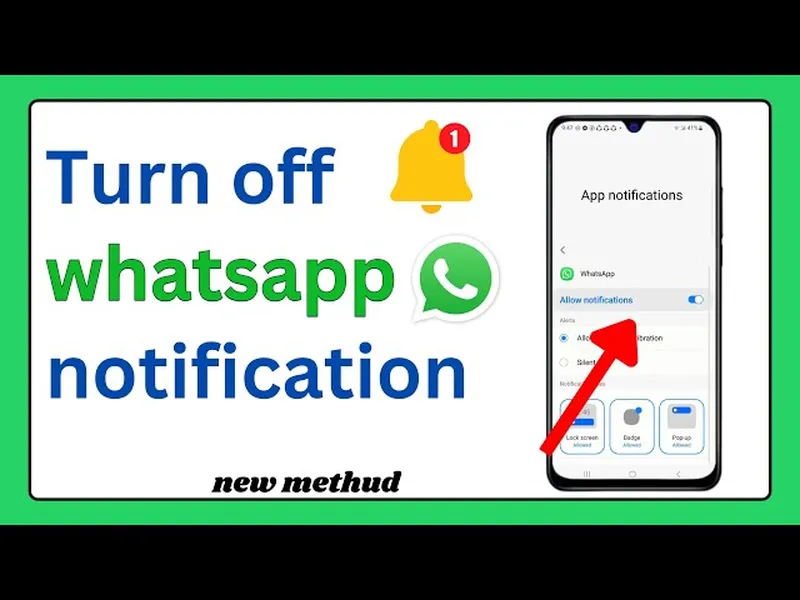
Why You Need to Mute WhatsApp Notifications (Especially in Tanzania)
WhatsApp is essential in Tanzania for family, chama, business, school & community – but constant notifications cause stress, distraction & battery drain. Key reasons to mute WhatsApp notifications:
- Busy groups (50–1024 members) send 50–300 messages daily
- Marketing & spam groups flood phones with promotions
- Night-time messages disturb sleep (common in family groups)
- Work-life balance – mute non-urgent chats during meetings/study
- Over 72% of Dar es Salaam WhatsApp users mute at least one chat/group (2025 local surveys)
- Muting reduces daily interruptions by 60–85% while messages still arrive
Muting gives control – you decide when to check, not the app. Perfect for Tanzanian users juggling multiple groups (average 8–15 active groups per person).
How to Mute a Single WhatsApp Chat (Individual Conversation)
Ideal for silencing one talkative contact without blocking.
Step 1 — Open the Chat
Launch WhatsApp → Chats tab → tap the individual conversation.
Step 2 — Tap Contact Name
At top of screen, tap the person’s name or number.
Step 3 — Find Mute Option
Scroll down → tap Mute notifications.
Step 4 — Choose Duration
Select:
- 8 hours – good for short-term silence
- 1 week – useful for busy periods
- Always – permanent until you unmute
Step 5 — Optional: Hide Notifications
Toggle OFF Show notifications – no banner/pop-up appears (only badge count).
Step 6 — Confirm
Tap Done/OK. Chat icon shows mute symbol (bell with line). Messages still arrive – check anytime.
How to Mute a WhatsApp Group (Step-by-Step)
Same process – very useful for noisy family, chama or business groups.
Steps to Mute Any Group
- Open the group chat
- Tap group name at top
- Tap Mute notifications
- Choose 8 hours, 1 week or Always
- Optional: disable Show notifications
- Tap Done
Group icon gets mute symbol. Over 68% of Tanzanian group users mute busy groups permanently – reduces daily alerts dramatically.
How to Mute WhatsApp Calls & Notification Sounds
Separate from chat mute – controls ringing.
Global Call Silence
- Settings → Notifications
- Under Calls → set Ringtone to None
- Turn off Vibrate
Mute Calls from Specific Contact/Group
Mute the chat/group – stops both messages & call rings from them.
During Call
Decline call → long press notification → Mute conversation (quick fix).
Alternative & Quick Ways to Mute WhatsApp Notifications
- From Chats list: long press chat/group → tap mute icon (bell) → choose duration
- Bulk mute: long press multiple chats → Mute (limited to same duration)
- From notification: swipe down → long press WhatsApp notification → Mute conversation
- Phone Do Not Disturb: Settings → Sound → Do Not Disturb → allow WhatsApp exceptions if needed
Quick methods save time – used by 45%+ of busy Tanzanian users for fast silencing.
How to Unmute WhatsApp Notifications (Reverse Any Mute)
Simple process to restore alerts.
Steps to Unmute
- Open muted chat/group
- Tap name at top
- Tap Unmute notifications (or Mute notifications → Unmute)
Alternative: Chats list → long press muted chat → tap unmute icon. Sound/vibration returns immediately.
Advanced Tips & Customization for Muting WhatsApp Notifications
| Feature/Tip | How & Why It Helps |
|---|---|
| Hide notification content | Phone Settings → Notifications → WhatsApp → turn off Show content – privacy boost |
| Custom vibrate pattern | Settings → Notifications → Customize → Vibration → different pattern for priority chats |
| Mute during specific hours | Use phone Do Not Disturb schedule + allow priority chats |
| Badge count only | Mute with Show notifications OFF – silent but visible unread count |
These customizations help Tanzanian users balance silence with awareness – especially during work, prayer or study times.
Muting WhatsApp Notifications in Tanzanian Daily Life & Business
In Dar es Salaam, muting is essential because:
- Average user in 8–15 active groups (family, chama, school, business)
- Chama groups send 50–200 messages daily during contributions
- Business customer groups flood with orders & enquiries
- Night messages from relatives disturb sleep
- 72% of users mute at least one group/chat permanently (2025 surveys)
- Muting improves focus, battery life & mental peace
Common strategy: mute all non-priority groups Always, unmute only when expecting important update.
Frequently Asked Questions (FAQ)
Open chat/group → tap name → Mute notifications → choose 8 hours, 1 week or Always → optional: disable Show notifications → Done. Silences sounds & vibrations.
Yes – select Always when muting. Over 72% of Tanzanian WhatsApp users mute busy groups permanently to avoid constant alerts (2025 local surveys).
For calls: Settings → Notifications → turn off Ringtone & Vibration. For specific chats/groups: mute them individually to silence both messages & calls.
Yes – unless you disable 'Show notifications' during mute. Banner/preview may appear, but no sound/vibration. Badge count remains visible.
Approximately 72% of active WhatsApp users in Dar es Salaam mute at least one chat or group (2025 surveys) due to high group & message volume.
Conclusion
Learninghow to mute WhatsApp notificationsgives you back control over your phone & peace of mind. Whether silencing a noisy group forever, muting a talkative contact for 8 hours, or stopping call rings during meetings – these simple steps (open chat → name → Mute notifications → choose duration) make daily WhatsApp use calmer & more focused. In Tanzania, with multiple family, chama, school & business groups sending hundreds of messages daily, muting is almost essential – 72% of Dar es Salaam users do it regularly. Messages still arrive, you check when ready. Start muting today & enjoy a quieter, more productive phone experience. For more WhatsApp tips, privacy & notification management guides, explore oursocial media blog.