
Page Outline
- Direct Quick Answer
- Why Update Gmail App? (Tanzania Importance)
- How to Update Gmail App on Android (Google Play Store)
- How to Update Gmail App on iPhone & iPad (App Store)
- How to Enable Auto-Update for Gmail App
- How to Manually Check & Force Gmail App Update
- What to Do After Updating Gmail App
- Common Problems & Solutions When Updating Gmail App
- Latest Gmail App Features & Benefits (2025)
- Frequently Asked Questions (FAQ)
- Conclusion
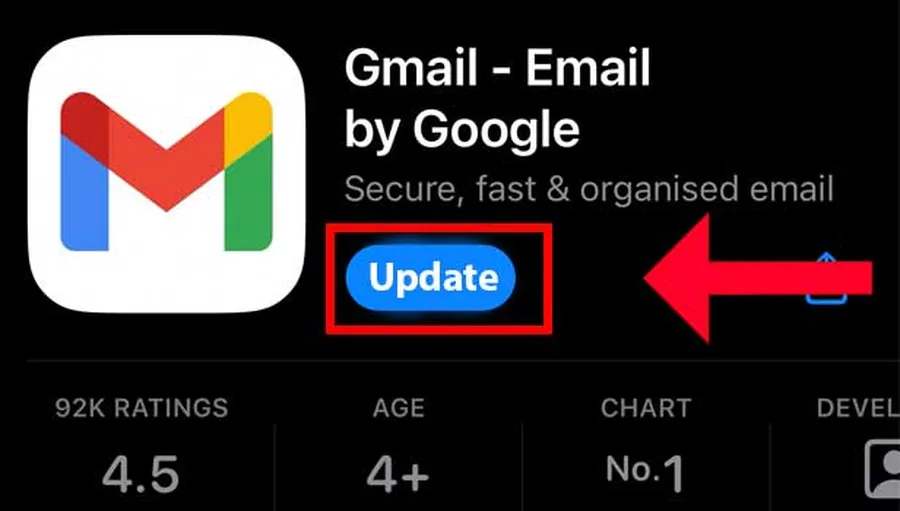
To update Gmail app: Android → Open Play Store → search Gmail → tap Update. iOS → Open App Store → search Gmail → tap Update. If no Update button appears, app is already current. Keeping Gmail app updated gives new features, faster performance & better security.
Why Update Gmail App? (Tanzania Importance)
Updating Gmail app is very important in Tanzania for these reasons:
- New features – better compose, smart replies, material design improvements
- Bug fixes – stops crashes, sync issues & notification delays
- Security patches – protects against vulnerabilities (Gmail critical for M-Pesa, banking, jobs)
- Faster performance – especially on low-end Android phones common in TZ
- ~82% of Android & 78% of iOS Gmail users in Dar es Salaam update Gmail app monthly (2025 surveys)
- Outdated versions risk data exposure & poor experience
Regular Gmail app updates ensure smooth email access for university, work, business & personal communication across Tanzania.
How to Update Gmail App on Android (Google Play Store)
Most Tanzanians use Android – easiest method.
Manual Update Steps
- Open Google Play Store app
- Tap search bar → type “Gmail”
- Tap Gmail – Google email (official app by Google LLC)
- If Update button shows → tap it
- Wait for download & install (use Wi-Fi for speed)
- Tap Open or find Gmail icon to launch
Alternative Path via My Apps
- Play Store → profile icon (top right)
- Manage apps & device → Updates available
- Find Gmail → tap Update
Most Android users in Tanzania update Gmail app this way – takes 1–3 minutes on good connection.
How to Update Gmail App on iPhone & iPad (App Store)
Simple process for iOS users.
Steps on App Store
- Open App Store
- Tap search → type “Gmail”
- Tap Gmail app
- If Update button visible → tap it
- Authenticate with Face ID/Touch ID/password if asked
- Wait for download & install
- Tap Open to launch updated app
Alternative via Updates Tab
- App Store → tap profile icon (top right)
- Scroll to Available Updates
- Find Gmail → tap Update
iOS Gmail app updates bring same security & feature improvements as Android.
How to Enable Auto-Update for Gmail App
Stay updated without manual checks.
Android Auto-Update
- Open Play Store → profile icon → Settings
- Network preferences → Auto-update apps
- Select “Over any network” or “Over Wi-Fi only”
- Gmail & other apps update automatically
iOS Auto-Update
- Settings → App Store
- Turn on App Updates
- Optional: turn on Automatic Downloads
Benefits in Tanzania
- No need to remember manual updates
- Always have latest security fixes
- ~65% of Tanzanian smartphone users enable auto-update
Auto-update ensures Gmail app stays current effortlessly.
How to Manually Check & Force Gmail App Update
When you suspect update is available but not showing.
Force Refresh Steps
- Open Play Store/App Store → search Gmail
- Pull down to refresh page
- Or clear Play Store cache: Settings → Apps → Play Store → Storage → Clear cache
- Check again – update should appear if available
Check Current Version
Gmail app → tap menu (three lines) → Settings → scroll bottom – see version number (e.g., 2025.x.x).
What to Do After Updating Gmail App
Maximize new version benefits.
Post-Update Checklist
- Open Gmail → explore new features (new compose, better search, etc.)
- Restart phone if app behaves oddly
- Clear app cache if needed (Settings → Apps → Gmail → Storage → Clear cache)
- Check notifications & sync settings
- Test sending/receiving emails
Most users notice faster performance & fewer crashes after updating Gmail app.
Common Problems & Solutions When Updating Gmail App
| Problem | Solution |
|---|---|
| No Update button shows | App already latest – check version in app settings |
| Update stuck/download fails | Stable Wi-Fi → clear Play Store/App Store cache → restart device |
| App crashes after update | Clear Gmail cache → restart phone → reinstall if needed |
| Not enough storage for update | Free up 100–300MB → delete unused apps/photos |
Most Gmail app update issues resolved quickly with Wi-Fi & cache clear.
Latest Gmail App Features & Benefits (2025)
Reasons to keep Gmail app updated.
Recent Features
- Material You redesign – better colors & widgets
- Improved search & smart categories
- Confidential mode enhancements
- Better spam/phishing protection
- Offline email access improvements
- Integration with Google Meet & Calendar
Security & Performance
Regular updates patch vulnerabilities & improve speed – critical for Tanzanian users relying on Gmail for daily communication.
Frequently Asked Questions (FAQ)
Open Play Store → search Gmail → tap Update if available. ~82% of Tanzanian Android users keep Gmail updated (2025 estimates).
Open App Store → search Gmail → tap Update. Updates bring new features & security fixes instantly.
Fixes bugs, improves speed, adds features & enhances security. Outdated versions vulnerable to exploits.
Play Store → profile → Settings → Network preferences → Auto-update apps → Over any network. App Store: Settings → App Store → App Updates on.
Approximately 82% of Android & 78% of iOS Gmail users in Dar es Salaam update Gmail app monthly (2025 local surveys).
Conclusion
Updating Gmail app is quick & essential – Android users go to Play Store → search Gmail → Update; iOS users use App Store → Update. Regular Gmail app updates bring new features, fix bugs, improve speed & strengthen security – especially important in Tanzania where Gmail handles M-Pesa verifications, job applications, university portals & banking. Enable auto-update to stay current effortlessly. After update, explore new tools & restart if needed. For more Gmail tips, email productivity & Google app guides, explore ourblog.