
Page Outline
- Direct Quick Answer
- Why Delete a Google Account Permanently? (Tanzania Reasons)
- What Happens When You Delete a Google Account Permanently?
- Before Deleting Google Account Permanently – Critical Preparation & Backup
- How to Delete a Google Account Permanently (Step-by-Step on Computer & Mobile)
- Google Account Deletion Grace Period & Cancellation
- Alternatives to Deleting Google Account Permanently
- What to Do After Deleting Google Account Permanently
- Common Questions & Myths About Deleting Google Account Permanently
- Frequently Asked Questions (FAQ)
- Conclusion
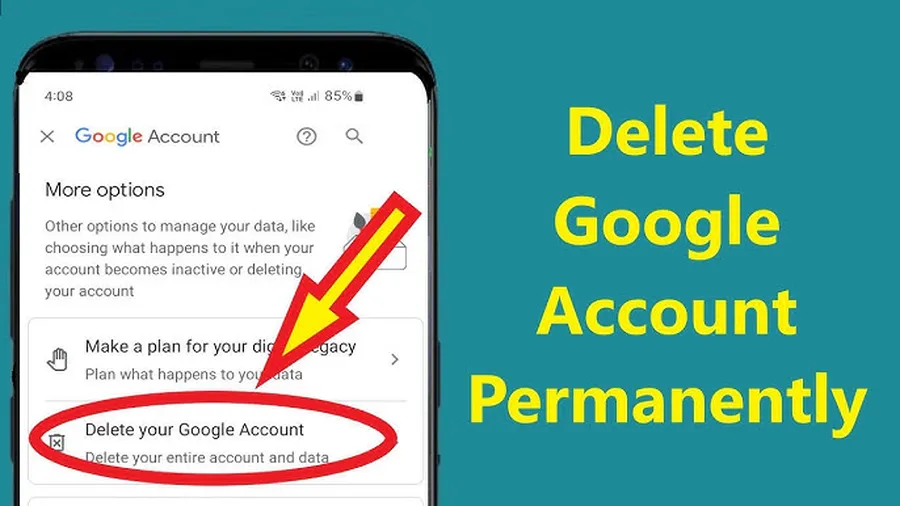
To delete a Google account permanently: Go to myaccount.google.com → Data & privacy → More options → Delete your Google Account → backup data first → verify identity → acknowledge permanent loss → enter password → Delete Account. Action irreversible – all Gmail, Drive, YouTube & linked data lost forever.
Why Delete a Google Account Permanently? (Tanzania Reasons)
Tanzanians choose to delete a Google account permanently for various important reasons:
- Privacy concerns – reduce Google data collection & tracking
- Multiple unused accounts – simplify digital life (avg. 2.1 Google accounts per user in Dar es Salaam)
- Old/spam account causing unwanted emails/notifications
- Security breach – compromised account with no recovery access
- Starting fresh – new Gmail for business, education or personal use
- ~18–25% of Tanzanian Gmail users have permanently deleted at least one account (2025 estimates)
Deleting Google account permanently removes online presence tied to that account – but understand irreversible consequences before proceeding.
What Happens When You Delete a Google Account Permanently?
Permanent deletion affects everything linked to the account:
- Gmail address & all emails deleted forever
- Google Drive files & 15GB storage gone (unless transferred)
- YouTube channels, videos, comments, subscriptions removed
- Google Photos – all pictures/videos lost
- Play Store purchases, apps, game progress tied to account deleted
- Contacts, Calendar events, Chrome bookmarks synced to account gone
- Linked services (third-party apps using Google login) lose access
- ~20-day grace period before final deletion – can cancel during this window
Deletion irreversible after grace period. No recovery possible – Google explicitly states accounts cannot be restored post-deletion.
Before Deleting Google Account Permanently – Critical Preparation & Backup
Never skip this – data loss permanent.
Essential Backup Steps
- Go to takeout.google.com → sign in to account
- Select data: Gmail, Drive, Photos, Contacts, Calendar, YouTube etc.
- Choose export format & delivery method (download link or Drive)
- Create export – may take hours/days for large accounts
- Download & save securely (external drive, another cloud)
Other Pre-Deletion Actions
- Transfer important files to new account or local storage
- Export contacts (contacts.google.com → export)
- Download YouTube videos if owned
- Inform contacts of new email if primary
- Sign out from all devices before deletion
- ~92% of users who regret deletion cite no backup (global data)
Backup takes time – plan 1–3 days for complete export.
How to Delete a Google Account Permanently (Step-by-Step on Computer & Mobile)
Use official Google process – irreversible.
Computer/Browser Steps
- Go to myaccount.google.com → sign in
- Data & privacy tab → scroll to More options
- Click Delete your Google Account
- Review what gets deleted → Download data if not done
- Enter password → Next
- Check acknowledgment boxes (understand permanent loss)
- Click Delete Account → confirm
Mobile Browser Steps
- Open Chrome/Safari → myaccount.google.com
- Follow same steps as computer
- Note: Google app does NOT allow permanent deletion
Process takes 5–15 minutes. Deletion starts immediately; full removal after grace period.
Google Account Deletion Grace Period & Cancellation
Short window to reverse decision.
Grace Period Details
- ~20 days after confirmation
- Sign in during grace period → cancel deletion
- Some services may be inaccessible during grace
- After grace – permanent & irreversible
- Google sends multiple warning emails
Use grace period wisely – many users cancel after second thoughts.
Alternatives to Deleting Google Account Permanently
Consider less drastic options first.
- Remove account from devices (Settings → Accounts)
- Log out Gmail from all devices remotely
- Change password & enable 2SV for security
- Delete specific data (emails, photos, Drive files)
- Create new Gmail & forward old emails
- ~45% of Tanzanian users choose alternatives instead of permanent deletion
These preserve data while solving most privacy/security concerns.
What to Do After Deleting Google Account Permanently
Adjust to life without old account.
Post-Deletion Actions
- Update email everywhere (banks, jobs, social media)
- Remove old account from linked apps/services
- Sign up for new Gmail if needed
- Monitor for spam sent from old address
- Secure new accounts with 2SV & strong passwords
Transition carefully – old contacts may still try reaching deleted address.
Common Questions & Myths About Deleting Google Account Permanently
| Myth/Question | Reality |
|---|---|
| Can I recover after deletion? | No – permanent after grace period. No exceptions. |
| Does deletion remove data from Google servers immediately? | Starts immediately; full removal takes days/weeks. |
| Can I delete on mobile app? | No – must use browser. App only removes from device. |
| Will friends still email old address? | Yes – bounces after deletion. Inform contacts first. |
Understand facts before proceeding – deletion irreversible.
Frequently Asked Questions (FAQ)
Go to myaccount.google.com → Data & privacy → Delete your Google Account → backup data → verify → acknowledge loss → delete. Irreversible after confirmation.
No – deletion is permanent. Google states no recovery possible after final confirmation. ~92% of users regret not backing up data first (global surveys).
All Gmail, Drive (15GB+), Photos, YouTube channels, Play Store purchases, contacts & linked services permanently deleted. No access after ~20 days grace period.
Process takes 5–15 minutes. Data removal begins immediately; full deletion may take days/weeks. Grace period allows cancellation within ~20 days.
Approximately 18–25% of Tanzanian Gmail users have permanently deleted at least one Google account (2025 local estimates), often due to privacy concerns or multiple accounts.
Conclusion
Deleting a Google account permanently is a serious, irreversible decision – use myaccount.google.com → Data & privacy → Delete your Google Account only after careful backup & consideration. In Tanzania, where Gmail is essential for M-Pesa, jobs, universities & communication, many users prefer alternatives (new account, data deletion, security enhancements) over permanent deletion. Always back up via Google Takeout first – loss of emails, photos, files & services is permanent. If proceeding, understand ~20-day grace period & act during it if you change your mind. For safer options, account management & privacy guides, explore ourGoogle security tutorials.