
Page Outline
- Direct Quick Answer
- What Is a Google Account / Gmail? (Services & Benefits)
- Why Tanzanians Need to Create a Google Account / Gmail
- How to Create a Google Account / Gmail on Computer (Browser)
- How to Create a Google Account / Gmail on Android Phone
- How to Create a Google Account / Gmail on iPhone
- Add Phone Number & Recovery Email (Important Security Step)
- How to Secure Your New Google Account / Gmail Immediately
- Common Problems & Solutions When Creating Google Account / Gmail
- Frequently Asked Questions (FAQ)
- Conclusion
To create a Google account / Gmail: Open browser or Google app → go to accounts.google.com → tap Create account → For my personal use → Enter first & last name → Choose Gmail address (yourname@gmail.com) → Create strong password → Add phone number (recommended) → Verify code → Accept terms → Finish. Free, takes 2–4 minutes, and you get Gmail + access to YouTube, Drive, Photos & more.
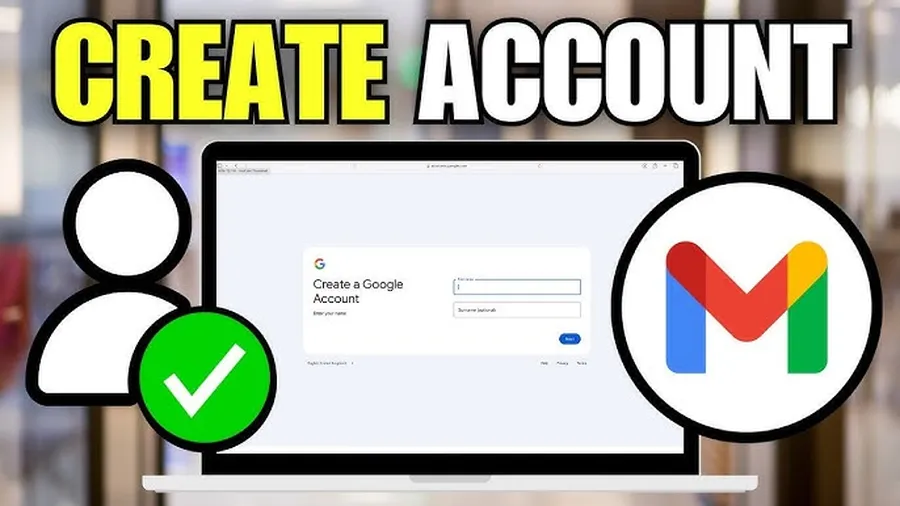
What Is a Google Account / Gmail? (Services & Benefits Explained)
A Google Account (created with Gmail) is your key to the entire Google ecosystem. When you create a Google account / Gmail you automatically get:
- Gmail – professional email with 15 GB free storage
- YouTube – personalized recommendations & channel creation
- Google Drive – 15 GB cloud storage for files & photos
- Google Photos – unlimited backup (compressed) or original quality within 15 GB
- Google Play Store – download apps & games on Android
- Google Maps, Calendar, Docs, Sheets, Meet & more
In Tanzania, millions use Gmail for job applications, online learning, business communication & banking verification. One account gives access to dozens of free services – making it essential for students, job seekers, entrepreneurs & everyday users in Dar es Salaam.
Why Tanzanians Need to Create a Google Account / Gmail
Creating a Google account / Gmail is almost mandatory in modern digital life in Tanzania because:
- Most online services (jobs, universities, banking, government portals) require Gmail
- YouTube is top entertainment & learning platform – needs account for playlists & subscriptions
- Google Drive used for school assignments & work files (15 GB free)
- Over 14 million Tanzanians actively use Gmail / Google services (2025 estimates)
- Average Dar es Salaam smartphone user checks Gmail 5–12 times daily
- Free, secure & works on any phone or computer
Without a Google account / Gmail, many online opportunities (jobs, education, payments) become difficult or impossible. Creating one takes only minutes & opens the full Google world.
How to Create a Google Account / Gmail on Computer (Browser Step-by-Step)
Works on Chrome, Firefox, Safari or any browser – very straightforward.
Step 1 — Go to Sign-Up Page
Open browser → type accounts.google.com → click Create account (top right or center button).
Step 2 — Choose Account Type
Select For my personal use (not For my child or To manage my business).
Step 3 — Enter Your Name
Type First name & Last name → Next.
Step 4 — Choose Gmail Address
Enter desired username → suggestions appear if taken → select or create variation (e.g., john.mambo2025@gmail.com) → Next.
Step 5 — Create Strong Password
Make password 8+ characters with uppercase, lowercase, number & symbol → confirm → Next.
Step 6 — Add Phone Number (Recommended)
Enter Tanzanian number (+255 ...) → Next → receive SMS code → enter code → verify.
Step 7 — Add Recovery Email (Optional but Useful)
Enter alternate email (if you have) → Next.
Step 8 — Accept Terms
Review & accept Google Terms of Service & Privacy Policy → tap I Agree.
Step 9 — Finish Setup
You’re now signed in – Gmail opens at mail.google.com. Your new email is ready.
How to Create a Google Account / Gmail on Android Phone
Most Android phones in Tanzania need Google account during setup or can add later.
During Phone Setup
When new phone asks “Copy apps & data” → skip → tap Add Google Account → Create account → follow same steps as computer (name → Gmail → password → phone verify).
On Already Set Up Phone
- Open Settings → Accounts → Add account
- Tap Google
- Tap Create account → For myself
- Follow same name → Gmail → password → phone verification steps
After creation, Gmail app auto-adds new account. Switch accounts by tapping profile icon top right.
How to Create a Google Account / Gmail on iPhone
iPhone users create Google account via browser or Gmail app.
Via Safari Browser
Open Safari → accounts.google.com → Create account → follow computer steps above.
Via Gmail App
- Download Gmail from App Store
- Open app → tap Add another account
- Tap Google → Create account
- Follow name → Gmail address → password → verification steps
New account appears in Gmail app & can be used in other Google apps (YouTube, Drive etc.).
Add Phone Number & Recovery Email When Creating Google Account / Gmail (Security Step)
These two additions make account recovery easy if password forgotten.
Why Add Recovery Options
- Phone number: receive verification codes & recovery links via SMS
- Recovery email: get reset instructions if phone lost or SIM changed
- Over 80% of hacked/lost accounts recovered when phone + email added (Google security data)
Best Practice During Sign-Up
When asked “Add phone number?” → enter Tanzanian number (+255) → verify code. Then add alternate email (if you have one) → verify.
After Creation (Add Later)
myaccount.google.com → Personal info → Phone / Email → Add & verify.
How to Secure Your New Google Account / Gmail Immediately After Creation
Protect your new account from day one.
Enable 2-Step Verification
- myaccount.google.com → Security → 2-Step Verification → Get Started
- Confirm password → Add phone number → Choose SMS or Google Prompt
- Enable → Done
Other Quick Security Steps
- Use strong unique password (12+ characters, mix letters/numbers/symbols)
- Add recovery email & keep phone number updated
- Check Devices: Security → Your devices → remove unknown ones
- Review Recent activity: Security → Recent security activity
2-Step Verification blocks 99.9% of automated attacks (Google security stats).
Common Problems & Solutions When Creating Google Account / Gmail
| Problem | Solution |
|---|---|
| Username taken | Add numbers, dots or words (e.g., john.mambo255, johnmambo2025) |
| No SMS code received | Wait 60 sec → tap Resend → try voice call option |
| “This phone number is used too many times” | Wait 24–48 hours or use different number / recovery email |
| Age restriction error | Must be 13+ years (Tanzania law aligns with Google policy) |
Most issues resolved by waiting, trying different username or using voice verification instead of SMS.
Frequently Asked Questions (FAQ)
Go to accounts.google.com → Create account → For my personal use → Enter name → Choose Gmail address → Create strong password → Add phone (optional) → Verify → Accept terms. Free & takes 2–3 minutes.
Yes – 100% free forever. Over 1.8 billion people worldwide use Gmail (2025 estimates), including millions in Tanzania for email, YouTube & Drive.
No – phone number is optional. But adding one increases security & helps recover account if password forgotten (recommended for Tanzanian users).
Usually 2–4 minutes. Verification code arrives in seconds via SMS (if phone added). No credit card or payment needed.
Over 14 million Tanzanians actively use Gmail / Google accounts (2025 estimates from telecom & internet penetration data), mostly for email, YouTube & Drive.
Conclusion
Creating a Google account / Gmail is quick, free & opens access to powerful tools like email, storage, YouTube & more. Whether on computer, Android or iPhone, follow the steps: visit accounts.google.com → Create account → fill name → choose Gmail address → set password → verify phone (recommended) → accept terms. In Tanzania, where Gmail is used for jobs, studies, banking & communication, having a Google account / Gmail is essential. Add recovery options & enable 2-step verification right away for maximum security. Your new account is ready in minutes – start using Gmail, Drive & YouTube today. For more Google, email & internet guides, explore ourblog.