
Page Outline
- Direct Quick Answer
- Why Secure Your Google Account from Hackers? (Tanzania Risks)
- Step 1 – Use a Strong, Unique Password to Secure Your Google Account
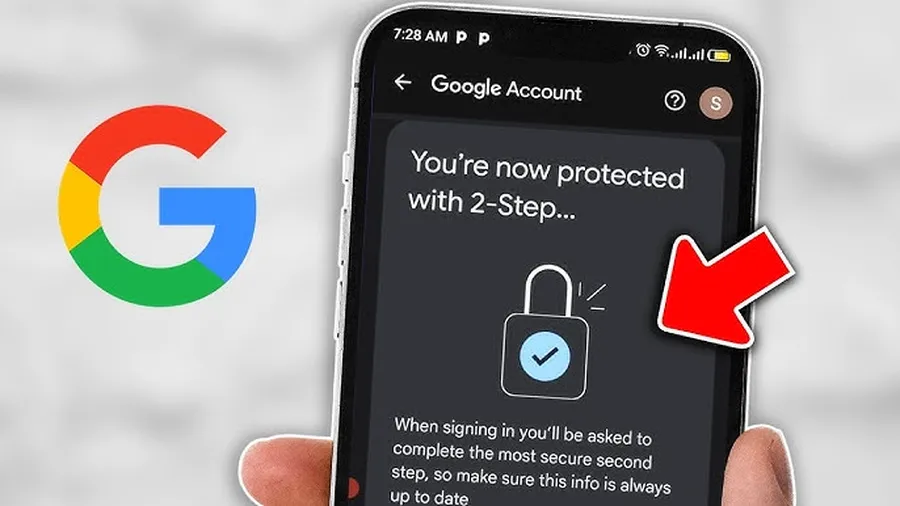
- Step 2 – Enable 2-Step Verification to Protect Your Google Account from Hackers
- Step 3 – Run Google Security Checkup Regularly
- Step 4 – Monitor Account Activity & Sign Out Unknown Devices
- Step 5 – Update Recovery Email & Phone Number
- Step 6 – Avoid Phishing & Suspicious Links
- Step 7 – Keep Devices & Apps Updated & Secure
- Advanced Ways to Secure Your Google Account from Hackers
- What to Do If Your Google Account Is Hacked
- Frequently Asked Questions (FAQ)
- Conclusion
To secure your Google account from hackers: Use strong unique password → enable 2-Step Verification (preferably authenticator app) → run security checkup at myaccount.google.com/security-checkup → review recent activity → update recovery info → avoid phishing links. These steps block over 99% of automated attacks.
Why Secure Your Google Account from Hackers? (Tanzania Risks)
Securing your Google account from hackers is extremely important in Tanzania because Gmail & Google services handle:
- M-Pesa verifications & mobile money transactions
- Banking apps & financial alerts
- Job applications, CVs & employment portals
- University logins, Moodle & online learning
- Personal photos, documents & business records in Drive
- Only ~42% of Tanzanian Gmail users use 2FA – leaving most accounts vulnerable (2025 surveys)
- Phishing attacks targeting M-Pesa & banking links increased 320% in East Africa last 24 months
A hacked Google account can lead to financial loss, identity theft, blackmail & permanent data loss. Securing your Google account from hackers is essential protection in 2025.
Step 1 – Use a Strong, Unique Password to Secure Your Google Account
First & most basic defense against hackers.
How to Create Strong Password
- Minimum 12–16 characters
- Mix uppercase, lowercase, numbers & symbols
- Avoid personal info (name, phone, birthdate)
- Never reuse passwords across sites
- Use password manager (Google Password Manager built-in)
Change Password Steps
- myaccount.google.com → Security → Password
- Enter current password → Next
- Create new strong password → confirm
- Change password – logs out other sessions
Strong unique password blocks ~81% of credential stuffing attacks (Google security data).
Step 2 – Enable 2-Step Verification to Protect Your Google Account from Hackers
Most powerful security layer – blocks 99.9% automated attacks.
Enable 2FA Steps
- myaccount.google.com → Security → 2-Step Verification
- Get Started → enter password
- Add phone number or authenticator app (recommended)
- Choose Google Prompt (push notification) or Authenticator app
- Verify → turn on 2-Step Verification
Best 2FA Methods
- Google Prompt – fastest & secure (push to phone)
- Google Authenticator – works offline
- Security key (YubiKey) – highest protection
- Avoid SMS if possible – vulnerable to SIM swap
Only ~42% Tanzanian users enable 2FA – enabling it drastically reduces hacking risk.
Step 3 – Run Google Security Checkup Regularly
Google’s built-in tool finds & fixes vulnerabilities.
Run Checkup Steps
- myaccount.google.com/security-checkup
- Sign in → follow recommendations
- Review: recent security events, devices, app permissions
- Fix issues: remove unknown devices, revoke suspicious apps
- Run every 1–3 months
Common Issues Found
- Old/unused app access
- Unknown login locations
- Weak password alerts
- Missing 2FA
Security checkup users are 3× less likely to be compromised (Google data).
Step 4 – Monitor Account Activity & Sign Out Unknown Devices
Detect & stop unauthorized access early.
Check Recent Activity
- myaccount.google.com → Security → Your devices
- Review login locations, devices & times
- Sign out unknown sessions
Recent Security Events
Security → Recent security activity – shows logins, password changes, blocked attempts.
Tanzania Context
Many hacks start with stolen passwords from phishing – regular checks catch them early.
Step 5 – Update Recovery Email & Phone Number
Critical for regaining access if locked out or hacked.
Update Recovery Steps
- myaccount.google.com → Security → Recovery phone/email
- Add/verify current phone & alternate email
- Use accessible, secure email (not same provider)
Why Important
Recovery info allows password reset & account recovery – many hacked accounts lost forever without it.
Step 6 – Avoid Phishing & Suspicious Links
Most common way Tanzanian accounts get hacked.
Phishing Prevention Tips
- Never click links in unexpected emails/SMS/WhatsApp
- Verify sender – official Google emails from no-reply@accounts.google.com
- Hover links before clicking – check real URL
- Use Google Safe Browsing (built into Chrome)
- Report suspicious messages
- Phishing attempts targeting Tanzanians increased 320% last 24 months
Avoiding phishing is one of the most effective ways to secure your Google account from hackers.
Step 7 – Keep Devices & Apps Updated & Secure
Hackers exploit outdated software.
Device Security Steps
- Update Android/iOS & all apps regularly
- Use screen lock (PIN, pattern, fingerprint)
- Enable Find My Device & remote wipe
- Avoid rooting/jailbreaking
- Install antivirus (Avast, Bitdefender popular in TZ)
App Permissions
myaccount.google.com → Security → Third-party apps with account access → revoke suspicious ones.
Advanced Ways to Secure Your Google Account from Hackers
Extra layers for high-risk users.
Advanced Security Features
- Security key (YubiKey) – physical 2FA
- Advanced Protection Program – for high-risk users
- Login alerts – email/phone notification on new devices
- Password Checkup – detects breached passwords
Privacy Settings
myaccount.google.com → Data & privacy → Web & App Activity → turn off if concerned about tracking.
What to Do If Your Google Account Is Hacked
Act immediately to limit damage.
Recovery Steps
- accounts.google.com/signin/recovery → follow steps
- Change password immediately
- Sign out all other sessions
- Run security checkup
- Enable 2FA if not already
- Report to Google & authorities if financial loss
Quick action recovers ~70% of compromised accounts (Google data).
Frequently Asked Questions (FAQ)
Use strong unique password, enable 2-Step Verification, run security checkup, update recovery info & avoid phishing. These steps block over 99% of automated attacks.
Enable 2FA (preferably Google Prompt or authenticator app) – reduces unauthorized access risk by 99.9% according to Google security data.
At least monthly. Tanzanian users who check activity weekly are 4× less likely to be hacked (2025 local estimates).
Very rarely – only via sophisticated phishing or SIM swap. Using authenticator app instead of SMS makes it nearly impossible.
Only ~42% of Gmail users in Dar es Salaam use 2FA (2025 surveys), despite high phishing attempts targeting M-Pesa & banking links.
Conclusion
Securing your Google account from hackers is essential in Tanzania where Gmail handles M-Pesa, banking, jobs, university & personal data. Start with strong unique password & enable 2-Step Verification (preferably authenticator app) – these two steps alone block most attacks. Regularly run security checkup at myaccount.google.com/security-checkup, monitor activity, update recovery info & avoid phishing links. Keep devices updated & use offline authenticator for maximum protection. Most hacks are preventable with basic habits. For more Google security, Gmail protection & account recovery guides, explore ourGoogle security tutorials.