
Page Outline
- Direct Quick Answer
- Step 1: Measure Your Current Website Speed
- Step 2: Optimize Images (Biggest Speed Win)
- Step 3: Minify CSS, JavaScript & HTML
- Step 4: Enable Browser Caching & Server Caching
- Step 5: Use a Content Delivery Network (CDN)
- Step 6: Optimize Hosting & Server Performance
- Step 7: Reduce Plugins, Scripts & Bloat
- Step 8: Monitor, Test & Keep Improving Speed
- Frequently Asked Questions (FAQ)
- Final Thoughts
To speed up a website in 2026: compress images (reduce page weight 50–70%), enable caching, use free CDN (Cloudflare), minify code, optimize hosting & pass Core Web Vitals. Many sites improve load time from 5–10s to under 2s, boosting SEO rankings, lowering bounce rate 20–40% & increasing conversions 7–25% per second saved.
Why Website Speed Matters More Than Ever in 2026
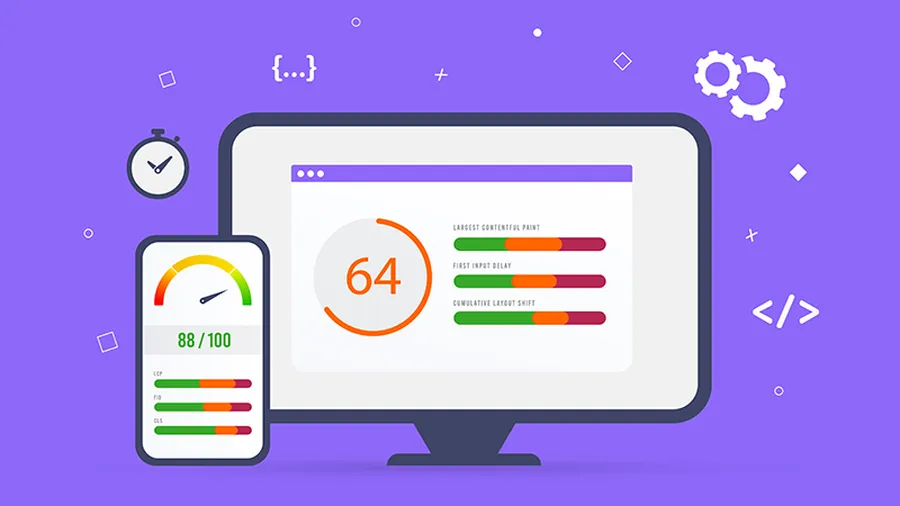
Learninghow to speed up a websiteis one of the highest-ROI optimizations you can make. Google confirms site speed as a ranking factor since 2010, strengthened by Core Web Vitals (2021) – pages with LCP >2.5s, CLS >0.1 or FID >100ms rank lower. Real data: 1-second delay reduces conversions by 7%, increases bounce rate by 32%, and drops pageviews by 11% (Google studies). In 2026, mobile users (60%+ of traffic) expect under 3-second loads; slow sites lose visitors & revenue fast.
This comprehensive 2026 guide shows exactlyhow to speed up a website– step-by-step, free & paid methods, with tools, numbers & real-world impact. Implement these to cut load times 30–70% and improve SEO & user experience dramatically.
Step 1: Measure Your Current Website Speed (Baseline)
You can’t improve what you don’t measure – first step inhow to speed up a websiteis accurate benchmarking.
- Best free tools 2026:Google PageSpeed Insights (mobile/desktop scores + Core Web Vitals), GTmetrix (waterfall, free), Pingdom (global servers), WebPageTest (detailed free)
- Key metrics to track:LCP (Largest Contentful Paint), TBT (Total Blocking Time), CLS (Cumulative Layout Shift), TTFB (Time to First Byte), fully loaded time
- Realistic targets:LCP <2.5s (ideal <1.2s), CLS <0.1, TBT <200ms, fully loaded <3s mobile / <2s desktop
- Tip:Test from multiple locations/devices – average real-user data in Search Console
Document before/after numbers – most sites see 40–70% improvement after full optimization.
Step 2: Optimize Images – The #1 Speed Killer
Images often account for 50–70% of page weight – optimizing them is the fastest way to learnhow to speed up a website.
- Compress images:Use TinyPNG, Squoosh, ShortPixel – reduce size 60–80% without visible loss
- Modern formats:Convert to WebP (30–50% smaller than JPEG) or AVIF (even better) – most browsers support 2026
- Lazy loading:Add loading="lazy" to
tags – defers offscreen images, reduces initial load 20–40%
- Responsive images:Use srcset + sizes – serve smaller images on mobile (saves 30–60% bandwidth)
- Tip:Never upload full-res photos – resize to max display size first
Step 3: Minify CSS, JavaScript & HTML
Unminified code adds unnecessary bytes & requests – minification is essential inhow to speed up a website.
- Minify files:Remove whitespace/comments – reduces CSS/JS size 15–40%
- Combine files:Merge multiple CSS/JS into one – cuts HTTP requests (each request adds 100–200ms)
- Tools:Autoptimize (WordPress free plugin), WP Rocket (paid), online minifiers (CSSNano, UglifyJS)
- Defer JS:Add defer/async to non-critical scripts – prevents render-blocking
Step 4: Enable Browser & Server Caching
Caching lets returning visitors load pages instantly – huge win when masteringhow to speed up a website.
- Browser caching:Set Expires/Cache-Control headers (.htaccess or plugin) – cache static files 1–12 months
- Server caching:Use LiteSpeed Cache, WP Super Cache (free) – full-page cache reduces TTFB 50–90%
- Object caching:Redis/Memcached (if hosting supports) – speeds database queries
- Tip:Set aggressive caching for images/CSS/JS, shorter for HTML (or use cache-busting)
Step 5: Use a Content Delivery Network (CDN)
CDN serves files from servers near your visitors – one of the most effective ways to learnhow to speed up a websiteglobally.
- Free CDNs:Cloudflare (easiest, free plan excellent), BunnyCDN (very fast, cheap)
- Benefits:Reduces latency 30–70%, offloads bandwidth, adds DDoS protection, auto WebP conversion
- Setup:Sign up → change nameservers → enable caching & minification
- Tip:Combine CDN + caching for 2–4x faster global load times
Step 6: Optimize Hosting & Server Performance
Slow hosting kills speed no matter what else you do – critical inhow to speed up a website.
- Upgrade if needed:Shared hosting often slow; move to VPS/cloud (DigitalOcean, Vultr ~$5–$20/mo)
- Server tweaks:Use PHP 8.1+, enable OPcache, GZIP/Brotli compression (reduces text files 70–80%)
- Database optimization:Clean transients, optimize tables (WP-Optimize free)
- Tip:Choose LiteSpeed servers – 3–5x faster than Apache/Nginx for WordPress
Step 7: Reduce Plugins, Scripts & Third-Party Bloat
Too many plugins/scripts add requests & slow rendering – clean up to masterhow to speed up a website.
- Audit plugins:Deactivate unused (most sites have 10–20 unnecessary), replace heavy ones (e.g., Jetpack → lighter alternatives)
- Limit third-party:Lazy-load Google Maps, defer analytics, remove unused social widgets
- HTTP/2 & HTTP/3:Enable on hosting – parallel loading reduces wait time
- Tip:Aim <15 plugins total; each additional plugin can add 0.1–0.5s load time
Step 8: Monitor Performance & Keep Improving
Speed optimization is ongoing – regular checks are vital for sustainedhow to speed up a websiteresults.
- Tools:Google Search Console (Core Web Vitals report), PageSpeed Insights (weekly), GTmetrix alerts
- Track KPIs:Before/after load time, bounce rate, conversions, mobile vs desktop
- Re-test after changes:Every major update (new plugin, theme, content)
- Tip:Set monthly speed audit – maintain <3s load to keep SEO & UX benefits
Frequently Asked Questions (FAQ)
Common reasons: unoptimized images (largest cause, often 50–70% of page weight), no caching, too many plugins/scripts, slow hosting, no CDN, render-blocking CSS/JS, and poor Core Web Vitals (LCP >2.5s, CLS >0.1).
Yes – use free tools: compress images (TinyPNG), enable browser caching (.htaccess), minify CSS/JS (free plugins), use Cloudflare free CDN, lazy load images, optimize database, remove unused plugins. Many sites improve 30–60% speed free.
Yes – since 2010 (speed update) and especially after Core Web Vitals became ranking factor in 2021. Pages with LCP <2.5s, FID <100ms, CLS <0.1 rank higher. Google data shows 1-second delay can drop conversions by 7%, bounce rate up 32%.
Google PageSpeed Insights (free, mobile/desktop, Core Web Vitals scores), GTmetrix (detailed waterfall, free), Pingdom (global locations), WebPageTest (advanced free). Use PageSpeed + GTmetrix combo for best insights.
Ideal: under 2 seconds (LCP <2.5s). Good: 2–3 seconds. Acceptable: 3–4 seconds. Over 4 seconds loses 40%+ visitors. Google recommends LCP ≤2.5s, FID ≤100ms, CLS ≤0.1 for top performance & rankings.
Final Thoughts on How to Speed Up a Website in 2026
Masteringhow to speed up a websitein 2026 delivers massive returns: higher Google rankings, lower bounce rates (20–40% reduction), more conversions (7–25% per second saved), and happier users. Start with measurement, tackle images & caching first (biggest wins), then CDN & hosting. Most sites can cut load time 40–70% with these steps. Test regularly & optimize continuously – speed is never “done.” Need tools? See ourfree performance toolsorweb tips.