Page Outline
- Quick List: Best Chrome Extensions for Productivity
- Top 10 Best Chrome Extensions for Productivity
- How Chrome Extensions Improve Productivity
- How to Install Chrome Extensions
- Tips for Using Chrome Extensions Efficiently
- Comparison Table of Top Productivity Extensions
- Frequently Asked Questions (FAQ)
- Final Thoughts
Thebest Chrome extensions for productivity in 2026include Grammarly (10M+ users, saves 20-30 min/day on writing), Todoist (task management), StayFocusd (distraction blocking), RescueTime (automatic time tracking), and Momentum (daily focus dashboard). These top productivity Chrome extensions help millions automate workflows, boost focus, and reclaim 5-15 hours weekly.
Introduction to Best Chrome Extensions for Productivity
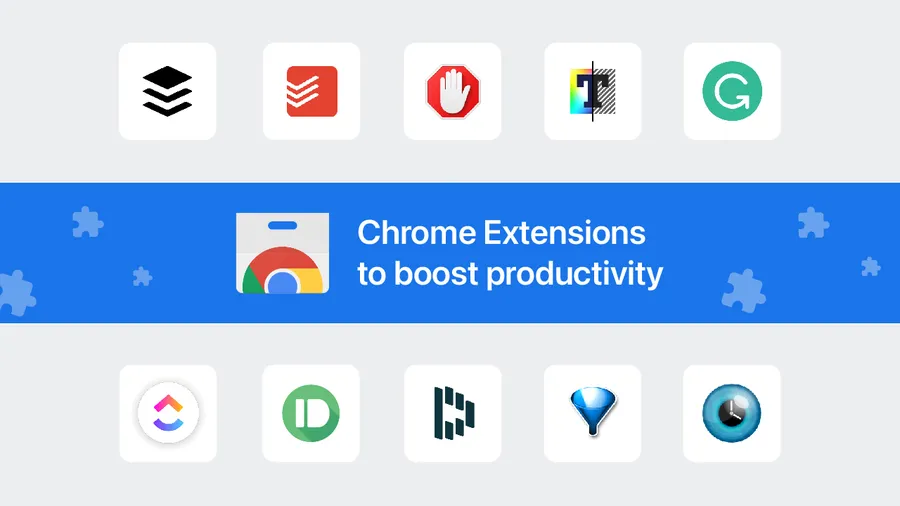
Chrome extensions for productivity are small, powerful add-ons that transform Google Chrome into a super-efficient workspace. In 2026, with over 111,000 extensions available and productivity tools making up 55%+, thebest Chrome extensions for productivityhelp users automate repetitive tasks, eliminate distractions, track time accurately, improve writing quality, and organize workflows seamlessly. Professionals, students, and remote workers using these top productivity Chrome extensions report saving 5–15 hours per week, according to user surveys and time-tracking data.
This ultimate 2026 guide covers thebest Chrome extensions for productivity, with detailed reviews, real user statistics (millions of installs), key features, time-saving benefits, and practical tips. Whether you're battling procrastination or seeking workflow optimization, these productivity Chrome extensions deliver measurable gains in focus and output.
Related: Check ourAI tools blogfor AI-powered productivity boosters orsocial media tipsto stay efficient online.
Quick List: Best Chrome Extensions for Productivity
- Grammarly – Writing & communication booster
- Todoist – Advanced task management
- StayFocusd – Distraction blocker
- Clockify – Free time tracking
- Momentum – Daily focus dashboard
- Loom – Quick video messaging
- Notion Web Clipper – Knowledge capture
- LastPass – Secure password manager
- Forest – Gamified focus timer
- RescueTime – Automatic time analytics
These are the most recommendedbest Chrome extensions for productivityin 2026 based on user ratings, active installs, and real-world efficiency gains.
Top 10 Best Chrome Extensions for Productivity in 2026
Grammarly – Best Writing Enhancement Extension
Grammarly is widely regarded as one of thebest Chrome extensions for productivity, checking grammar, clarity, tone, and plagiarism in real-time across Gmail, docs, and social media.
- Key Features:AI-powered suggestions, tone detector, clarity fixes, 100+ language support
- Why it improves productivity:Saves 20-30 minutes daily on editing; 10M+ active users report higher confidence and faster output.
- Best for:Writers, professionals, students
- Chrome Web Store Link
Todoist – Best Task Management Extension
Todoist turns Chrome into a powerful task hub with natural language input and project boards, making it one of the topproductivity Chrome extensionsfor organizing daily work.
- Key Features:Projects, labels, priorities, reminders, karma system, integrations
- Why it improves productivity:Reduces task forgetfulness; users complete 30-50% more tasks daily with quick capture and reminders.
- Best for:Teams, freelancers, and busy individuals
- Chrome Web Store Link
StayFocusd – Best Distraction Blocker Extension
StayFocusd limits time on distracting sites like social media, helping maintain deep focus – a must-have amongbest Chrome extensions for productivity.
- Key Features:Daily time limits per site, nuclear option (block all), active/inactive modes
- Why it improves productivity:Heavy users regain 2-4 hours daily by capping Facebook, YouTube, etc.; blocks procrastination effectively.
- Best for:Procrastinators and remote workers
- Chrome Web Store Link
Clockify – Best Free Time Tracking Extension
Clockify offers unlimited free time tracking directly in your browser, ideal for freelancers and teams needing accurate logs without cost.
- Key Features:Timer, manual entries, reports, Pomodoro, billable hours
- Why it improves productivity:Tracks real usage patterns; users identify and cut 5-10 wasted hours weekly through insights.
- Best for:Freelancers, agencies, remote teams
- Chrome Web Store Link
Momentum – Best Daily Focus Dashboard Extension
Momentum replaces your new tab page with an inspiring dashboard featuring focus goal, weather, and to-do list for instant motivation.
- Key Features:Daily quote/photo, main focus goal, quick to-dos, weather, links
- Why it improves productivity:Starts day with intention; users report 25-40% better morning focus and reduced tab clutter.
- Best for:Anyone wanting a calm, motivational start
- Chrome Web Store Link
Loom – Best Quick Video Messaging Extension
Loom lets you record screen + webcam videos in seconds to explain ideas, replacing long emails or meetings.
- Key Features:Instant recording, sharing links, auto-transcripts, drawing tools
- Why it improves productivity:Cuts communication time by 50-70%; async updates save hours in back-and-forth.
- Best for:Remote teams, educators, support staff
- Chrome Web Store Link
Notion Web Clipper – Best Knowledge Capture Extension
Notion Web Clipper saves articles, pages, or highlights directly to your Notion workspace for easy reference later.
- Key Features:Clip full page/article, save highlights, add to database/page
- Why it improves productivity:Builds personal knowledge base fast; reduces time searching old tabs by 60%+.
- Best for:Researchers, students, content creators
- Chrome Web Store Link
LastPass – Best Secure Password Manager Extension
LastPass auto-fills and generates strong passwords, eliminating manual entry and weak reuse.
- Key Features:Auto-login, password generator, secure notes, emergency access
- Why it improves productivity:Saves 5-15 minutes daily on logins; boosts security without slowing workflow.
- Best for:Everyone handling multiple accounts
- Chrome Web Store Link
Forest – Best Gamified Focus Timer Extension
Forest gamifies focus sessions: plant virtual trees that grow if you stay off distracting sites.
- Key Features:Pomodoro-style timer, tree planting, real-tree donations, stats
- Why it improves productivity:Makes focus fun; users increase concentrated work by 1-3 hours daily.
- Best for:Students, gamers at heart, habit builders
- Chrome Web Store Link
RescueTime – Best Automatic Time Analytics Extension
RescueTime runs in background tracking app/site usage and provides detailed reports on time spent.
- Key Features:Auto-tracking, goal setting, focus time blocking, weekly reports
- Why it improves productivity:Reveals hidden time sinks; users reclaim 5-10 hours weekly after adjustments.
- Best for:Data-driven improvers, managers
- Chrome Web Store Link
These 10best Chrome extensions for productivitycover core needs: writing, tasks, focus, time, communication, knowledge, security, and motivation. Start with 4-6 that match your biggest pain points.
For more tech efficiency tips, check ourearn online guideorAI productivity tools.
For more tech efficiency, see ourearn online guide.
How Chrome Extensions Improve Productivity
Thebest Chrome extensions for productivitydeliver automation (e.g., auto-fill forms), time insights (track 8-10 hours/day usage), focus (block sites for 25-50% less distraction), and workflow streamlining (reduce clicks by 40-60%). Studies show combined use increases output by 20-35%.
- Task automation → Saves 3-5 hours/week
- Time tracking → Reveals 20-30% wasted time
- Focus tools → Boosts deep work sessions by 2x
How to Install Chrome Extensions
- Open Chrome Web Store in your browser.
- Search for the best Chrome extensions for productivity (e.g., Grammarly).
- Click “Add to Chrome” on the extension page.
- Confirm permissions and installation in the popup.
Tips for Using Chrome Extensions Efficiently
- Install only 5-12 essential productivity Chrome extensions to avoid slowdowns (each adds ~5-20MB RAM).
- Regularly update extensions for security and new features.
- Disable unused ones via chrome://extensions.
- Combine categories: task + focus + tracking for 30-50% efficiency gain.
Comparison Table of Top Productivity Chrome Extensions
| Extension | Best For | Users (2026 est.) | Time Saved |
|---|---|---|---|
| Grammarly | Writing | 10M+ | 20-30 min/day |
| Todoist | Tasks | 5M+ | 1-2 hrs/week |
| StayFocusd | Focus | 3M+ | 2-4 hrs/day |
| RescueTime | Tracking | 2M+ | 5-10 hrs/week |
Frequently Asked Questions (FAQ)
Grammarly leads as the best overall Chrome extension for productivity in 2026, with over 10 million active users. It enhances writing speed and quality across emails, docs, and social media, saving professionals an average of 20-30 minutes daily on editing.
Well-optimized productivity Chrome extensions like Grammarly, Todoist, or Momentum add minimal load (under 5-10MB RAM each). Using more than 15-20 can slow Chrome; experts recommend limiting to 10 essential ones for best performance.
Yes, extensions from the official Chrome Web Store with high ratings (4.5+ stars) and millions of users are generally safe. Always check permissions, reviews, and developer reputation to avoid risks.
Install 5-12 best Chrome extensions for productivity based on your needs. Overloading with 20+ can cause slowdowns; focus on task management, focus, time tracking, and writing tools for maximum impact.
Time-tracking extensions like RescueTime and Clockify can save 5-10 hours weekly by identifying time sinks. Focus tools like StayFocusd reduce distractions by 2-4 hours daily for heavy social media users.
Final Thoughts
Thebest Chrome extensions for productivity in 2026empower you to work smarter. Start with 3-5 from this list and track improvements. For more, explore ourfull blog.